
You need a safe place for your photos, work files, and videos. Your phone or laptop can fill up fast. Cloud storage fixes that. It lets you save files online so you can grab them from any device. But the big names like Dropbox or Google Drive cost a lot or share your data in ways you may not like.
That is why so many people hunt for cloud storage alternatives. In this guide, I break down the best ones for 2026. I cover what the top sites offer, plus free choices, ways to run your own storage, and simple tips to switch. You will walk away knowing exactly what fits your needs and your wallet. No fancy words. Just clear facts.
Contents
- 1 What Is Cloud Storage and Why Look for Alternatives?
- 2 How to Choose the Right Cloud Storage for You?
- 3 Top Cloud Storage Services Compared
- 4 Best Free Cloud Storage Alternatives
- 5 Self-Hosted Cloud Storage Options: Take Full Control
- 6 Long-Term Cost Comparison: Save Money Over Time
- 7 How to Switch to a New Cloud Storage Provider?
- 8 Privacy and Security Tips for Your Files
- 9 FAQs About Cloud Storage Alternatives
- 10 Conclusion
What Is Cloud Storage and Why Look for Alternatives?
Cloud storage is like a big online locker. You upload files and they live on company servers. You can open them on your phone, laptop, or tablet. Most let you share files with friends or coworkers too.
The big services work fine for many people. But they have problems. Dropbox limits free users to three devices now. Google Drive scans files for ads sometimes. OneDrive ties you tight to Microsoft. Prices go up every year. Privacy rules change.
Alternatives fix these issues. Some cost less. Some keep your files fully private with strong locks. Some give you way more free space. Others let you run everything on your own computer so no company sees your stuff. If you want to save money or feel safer, it pays to look around.
How to Choose the Right Cloud Storage for You?
Ask yourself a few easy questions before you pick:
- How much space do you need? Start with 5 GB for light use. Go for 1 TB or more if you store lots of videos or photos.
- What is your budget? Free tiers work for basics. Paid plans start around $2–$5 a month for big space.
- Do you care about privacy? Look for end-to-end encryption.
- Which devices do you use? Check for apps on Windows, Mac, iPhone, or Android.
- Do you share files a lot? Good sharing tools and easy links matter.
- Do you edit files online? Some services let you work together in real time.
Write your answers down. Then match them to the options below. This step saves you time and money later.
Top Cloud Storage Services Compared
Here is a quick look at the best ones side by side. Prices are for popular plans as of early 2026. All have free trials or tiers.
| Service | Best For | Free Storage | Paid Plan Example | Key Strength | Main Drawback |
|---|---|---|---|---|---|
| Microsoft OneDrive | Everyday use | 5 GB | 1 TB for ~$7/month | Works great with Windows | Ties you to Microsoft apps |
| Proton Drive | Privacy | 5 GB | 200 GB for ~$2/month | Full encryption | Slower uploads sometimes |
| Google Drive | Google fans | 15 GB | 2 TB for ~$10/month | Easy team editing | Some privacy concerns |
| IDrive | Best price | 10 GB | 5 TB for ~$70/year first year | Huge space for low cost | Windows-only full backups |
| Sync.com | Simple and safe | 5 GB | 2 TB for ~$8/month | Zero-knowledge encryption | No LAN sync |
| Apple iCloud | Apple users | 5 GB | 2 TB for ~$10/month | Seamless on iPhone/Mac | No Android app |
| Box | Business teams | 10 GB | Starts ~$10/user/month | Tons of app connections | Pricey for personal use |
| Dropbox | Extra tools | 2 GB | 2 TB for ~$10/month | File requests and OCR | Limits free devices |
These cover most needs. But you have even more choices. Let’s look closer at the standouts and add some fresh options PCMag and others miss.
Best Overall: Microsoft OneDrive
OneDrive wins for most people. It feels fast and clean on Windows. You get strong photo tools and easy sharing. It works with Microsoft 365 so you can edit Word docs right in the cloud. Many businesses pick it because it fits right into their setup. If you already use Windows or Office, start here.
Best for Privacy: Proton Drive
Proton Drive keeps your files locked with end-to-end encryption. No one at the company can peek. It follows strict Swiss privacy laws. The mobile apps even scan text in photos. Great pick if you worry about data leaks. It costs little for the peace of mind.
Best for Google Workspace Users: Google Drive
If you live in Gmail or Docs, Google Drive feels like home. You get 15 GB free. Real-time editing with your team is smooth. It works on every device. Just know Google may use your data for some training. Still, it beats most for simple teamwork.
Best Value: IDrive
IDrive gives you tons of space for almost nothing. The first year deals make 5 TB feel cheap. It backs up phones and other cloud accounts too. Perfect for families or anyone who hates monthly bills.
Best Simple Sync: Sync.com
Sync.com is dead simple. You drag files and they sync. Everything stays encrypted on your device first. No file size limits. Good for people who just want it to work without fuss.
Best for Apple Users: Apple iCloud
iCloud shines on iPhone and Mac. Files sync without you thinking. New security tools let you lock folders. It works on Windows too now. Skip it if you use Android.
Best Integrations: Box
Box connects to over 1,500 apps. Great for teams that use many tools. It handles big company rules like HIPAA. A bit costly for home use.
Best Extra Tools: Dropbox
Dropbox still offers clever extras like file requests and photo scanning. It works everywhere. The free plan feels tight now, so paid plans make sense for power users.
Best Free Cloud Storage Alternatives
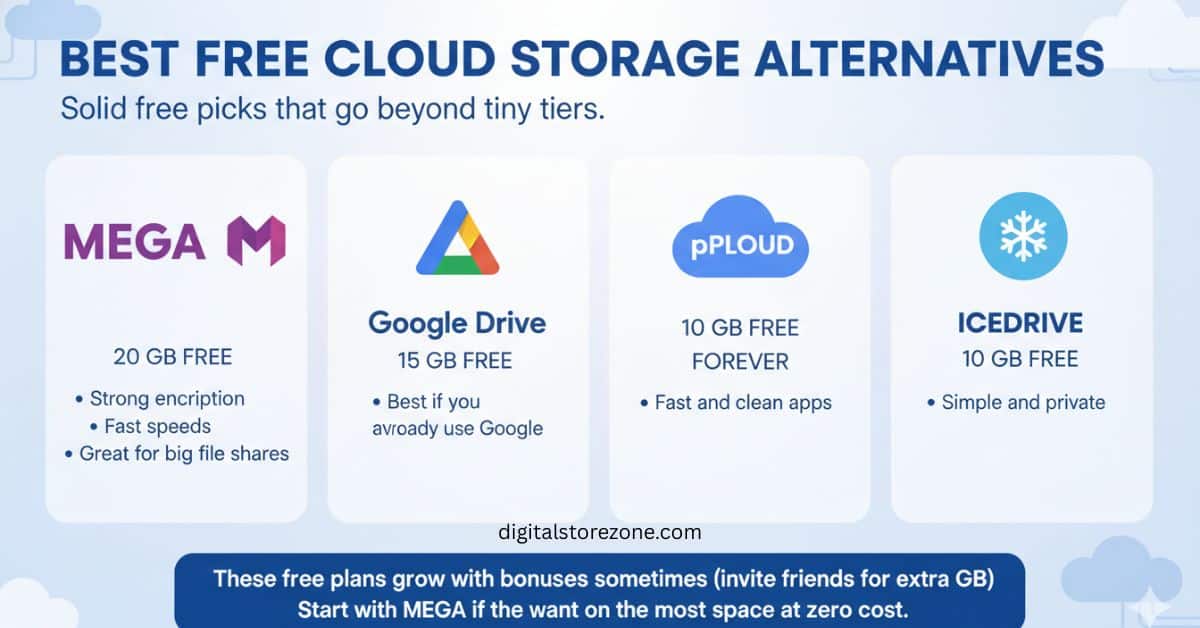
You do not always need to pay. Here are solid free picks that go beyond tiny tiers:
- MEGA: 20 GB free. Strong encryption. Fast speeds. Great for big file shares.
- Google Drive: 15 GB free. Best if you already use Google.
- pCloud: 10 GB free forever. Fast and clean apps.
- Icedrive: 10 GB free. Simple and private.
These free plans grow with bonuses sometimes (invite friends for extra GB). Start with MEGA if you want the most space at zero cost.
Self-Hosted Cloud Storage Options: Take Full Control
Want zero company access to your files? Run your own cloud. You need a home computer or cheap server.
- Nextcloud: Most popular. It gives you file sync, calendars, notes, and even video calls. Install it once and it feels like Google Drive but private. Many hosts offer one-click setup.
- ownCloud: Similar to Nextcloud but more business-focused. Very stable for teams.
- Seafile: Super fast for big files. Good if speed matters most.
Self-hosted costs a bit upfront for hardware or a cheap VPS (~$5/month). After that, it is yours forever. No monthly rent. Total control and better privacy. Perfect for tech-savvy users or families who want to keep everything in-house.
Long-Term Cost Comparison: Save Money Over Time
Prices add up. Here is a simple 3-year look at 2 TB plans (roughly):
| Service | Year 1 Cost | Year 2-3 Cost | Total 3 Years |
|---|---|---|---|
| IDrive | ~$70 | ~$100/year | ~$270 |
| pCloud (lifetime) | ~$399 one-time | $0 | $399 |
| OneDrive | ~$84 | ~$84/year | ~$252 |
| Proton Drive | ~$24 | ~$48/year | ~$120 |
Lifetime plans like pCloud win big if you stay long term. Cheap yearly plans like IDrive save cash short-term. Pick what matches how long you plan to keep the service.
How to Switch to a New Cloud Storage Provider?
Switching is easier than you think. Follow these steps:
- Download all your files from the old service (most have a big “export” button).
- Sign up for the new one and install the app.
- Upload in batches so you do not overload your internet.
- Test sharing links and apps on your phone.
- Once everything works, delete the old account.
Most services have built-in tools to move files from Dropbox or Google. Take your time. Back up important stuff on a hard drive too while you switch.
Privacy and Security Tips for Your Files
Always use strong, unique passwords. Turn on two-factor login. Pick services with zero-knowledge encryption when you can. Avoid free services that look too good and sell your data. Keep your apps updated. These small steps keep your photos and documents safe for years.
FAQs About Cloud Storage Alternatives
What is the cheapest cloud storage in 2026? IDrive or Proton Drive often win on price for real storage. Check current deals.
Is free cloud storage safe? Yes, if you pick trusted names like MEGA or pCloud. Read their privacy rules first.
Can I use cloud storage for business? Yes. Box, OneDrive for Business, and self-hosted Nextcloud work well for teams.
Do I need cloud storage if I have an external hard drive? Hard drives can break or get lost. Cloud adds a second safe copy you can reach anywhere.
How much free space do I really need? Start small. Most people do fine with 15–50 GB free. Upgrade only when you run out.
Are self-hosted options hard to set up? Nextcloud has easy guides and one-click installs. You can learn it in a weekend.