

Hey there. Have you ever seen a cool photo online and wanted to find more like it? Or maybe you have a picture on your phone and need to know where it came from? Image search techniques make that super easy. You do not need to be a tech expert. These methods help you find pictures in seconds.
Today, people search with pictures more than ever. Google alone handles over 25 billion visual searches each month. And visual search grew more than 300% in stores and shipping over the last two years. That means these skills save you time at home, at work, or in school.
In this guide, I will walk you through everything step by step. You will learn what image search is, how it works, the main types, exact steps to use them, the best tools, smart tips, mistakes to skip, real-life uses, and what is coming next in 2026. By the end, you will find any picture faster than before. Let’s start!
Contents
- 1 What Is Image Search and Why It Helps You?
- 2 How Image Search Works? (Super Simple Explanation)
- 3 The Main Types of Image Search Techniques
- 4 Step-by-Step: How to Use Each Technique (Actionable Guide)
- 5 Best Tools for Image Search in 2026 (With Comparison Table)
- 6 Smart Tips to Get Better Results Every Time
- 7 Mistakes to Skip So You Do Not Waste Time
- 8 Real Ways People Use Image Search Every Day
- 9 New Trends in Image Search for 2026 and Beyond
- 10 Conclusion
- 11 FAQs About Image Search Techniques
What Is Image Search and Why It Helps You?
Image search is a way to find pictures using words or by uploading a photo. You type words like “red car on a sunny day” or upload your own picture. The search engine shows you matching or similar photos from all over the web.
It helps in many ways. You can check if a picture is real. You can find the original maker of a photo. You can discover similar clothes, furniture, or art for your projects. Students use it for school reports. Shoppers find products they like. Even friends share funny memes and want the source.
Simple fact: pictures make up almost 30% of what people prefer to see online. With so many photos taken every year – nearly 2 trillion in 2026 – good search skills keep you from wasting time scrolling.
How Image Search Works? (Super Simple Explanation)
Here is the easy part. When you search with words, the tool looks at labels, titles, and descriptions on pictures. When you upload a photo, the tool breaks it down into tiny pieces: colors, shapes, lines, and patterns. Smart computer programs called AI match those pieces to billions of pictures stored online.
It is like showing your friend a photo and asking, “Where have you seen this before?” The computer does it in seconds. No magic – just smart matching. Some tools even spot faces or objects inside the picture.
The Main Types of Image Search Techniques
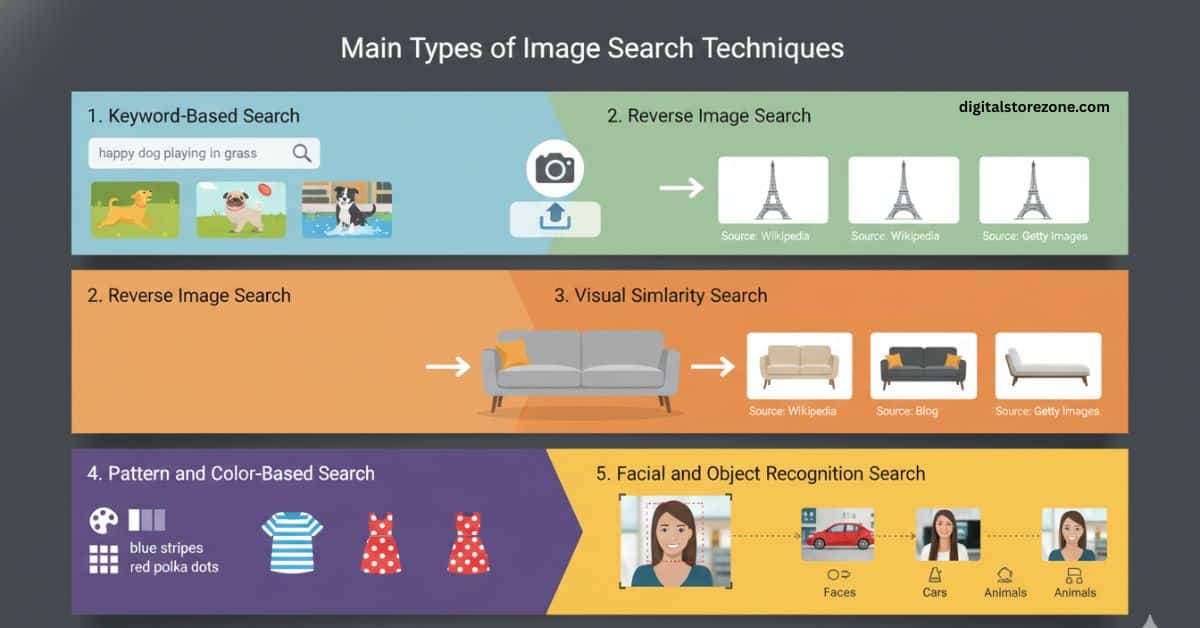
There are five basic types. Each one fits a different job. I will explain them one by one.
1. Keyword-Based Search
You type words that describe the picture. “Happy dog playing in grass” works great. The tool reads the words near the pictures online. This is the easiest type for everyday use.
2. Reverse Image Search
You upload a photo or paste its link. The tool finds the exact same picture or very close matches across the web. Perfect when you want to know the source or if someone copied your photo.
3. Visual Similarity Search
This finds pictures that look similar in style, even if not exact. Great for fashion or home decor. Upload a couch photo and see other couches with the same vibe.
4. Pattern and Color-Based Search
Focus on colors and patterns only. You can search for “blue stripes” or “red polka dots.” Designers and artists love this for matching brands or outfits.
5. Facial and Object Recognition Search
The tool spots faces, logos, cars, or animals in your photo. It finds more pictures with the same person or thing. Useful for finding old friends in group shots or identifying products.
These five cover almost everything you need. Later I will show you exact steps for each.
Step-by-Step: How to Use Each Technique (Actionable Guide)
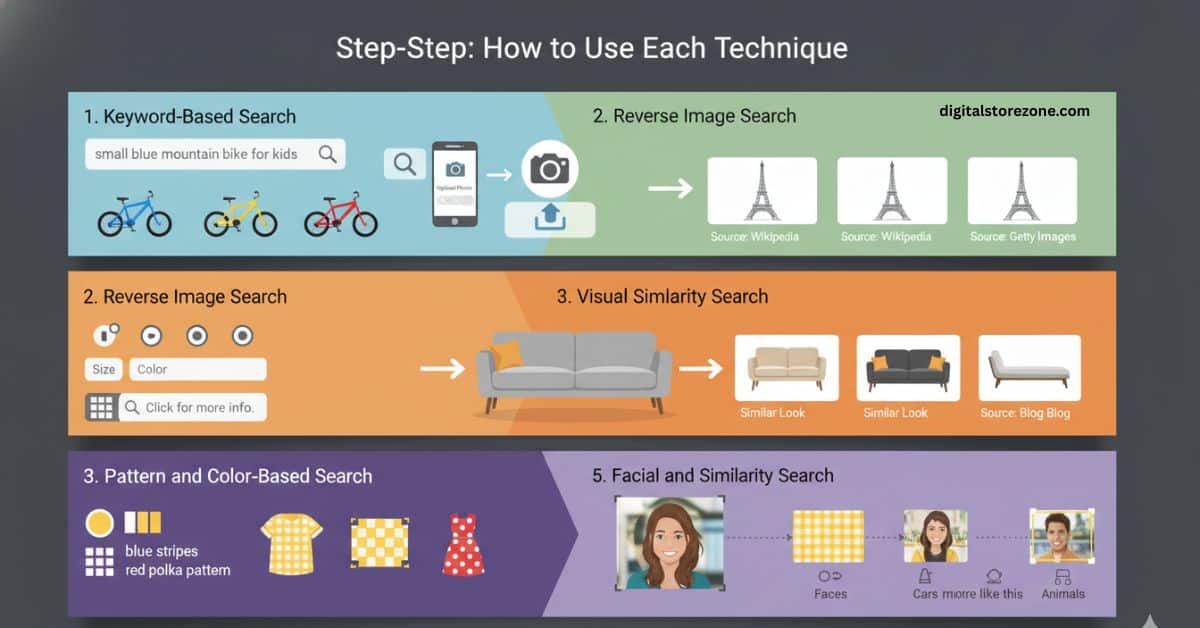
Let’s make it hands-on. Follow these steps on your phone or computer.
Keyword-Based Search Steps:
- Go to any image search page.
- Type clear words. Add details like color, size, or feeling (“small blue mountain bike for kids”).
- Hit search.
- Use filters for size, color, or type of use.
- Click any picture to see bigger or more info.
Reverse Image Search Steps:
- Find the picture you want to search.
- On most tools, click the camera icon.
- Upload the photo from your device or paste the web link.
- Wait a second. Look at the matches.
- Check the results for the original source or similar shots.
Visual Similarity Search Steps:
- Upload your photo.
- The tool shows pictures with the same look and feel.
- Scroll and pick ones you like for ideas.
Pattern and Color-Based Search Steps:
- Use filters on big search sites for color or style.
- Or upload and add words like “yellow checkered pattern.”
- Pick the best matches.
Facial and Object Recognition Steps:
- Upload a clear photo.
- The tool highlights faces or objects.
- Click on one to search only for that part.
Practice these once and you will remember them forever. It takes less than a minute each time.
Best Tools for Image Search in 2026 (With Comparison Table)
Many free tools exist. Here is a simple table to help you pick fast.
| Tool | Best For | Free to Use? | Special Feature |
|---|---|---|---|
| Google Images | Everyday searches and reverse | Yes | Huge database, easy filters |
| TinEye | Finding exact copies | Yes | Spots changed or resized pictures |
| Bing Visual Search | Shopping and objects | Yes | Good at spotting items in photos |
| Fashion and home ideas | Yes | Shows trending similar styles | |
| Yandex Images | Faces and landmarks | Yes | Strong on people and places |
AI-powered tools add extra smarts, like spotting fakes or giving alerts when your photo appears online. Pick one main tool and try a second one if you need more results. The table shows you do not need to pay to get great results.
Smart Tips to Get Better Results Every Time
Want perfect pictures every time? Try these easy habits:
- Use high-quality, clear photos. Blurry ones give bad matches.
- Be specific with words. “Black leather running shoes size 9” beats just “shoes.”
- Try more than one tool. Different sites see different parts of the web.
- Use filters for size, color, or rights to use the picture.
- Search on your phone with the camera for instant results.
- Check the date on results so you get fresh pictures.
These tips make your searches twice as good.
Mistakes to Skip So You Do Not Waste Time
Everyone makes these at first. Avoid them:
- Using low-quality or edited pictures. They confuse the tools.
- Sticking to only one tool. You miss better matches.
- Forgetting to use filters. You see too many wrong pictures.
- Ignoring rules about copying pictures. Always check if you can use them.
- Typing too many words at once. Keep it short and clear.
Skip these and your searches stay quick and useful.
Real Ways People Use Image Search Every Day
Here are common ways folks use these techniques:
- Shopping: Upload a shirt photo and find the same or cheaper version.
- School work: Find clear pictures for reports or science projects.
- Checking news: See if a photo is real or fake.
- Design: Match colors or styles for your room or website.
- Finding lost items: Search a photo of your dog or bike to see if anyone posted it.
- Work: Marketers track their brand photos online.
One big use is in stores – 1 in 5 visual searches leads to buying something. That shows how powerful it is.
New Trends in Image Search for 2026 and Beyond
Things keep getting better. In 2026, AI now understands pictures plus words together (called multimodal). You can circle part of a photo and ask questions about it.
More phones let you search with your camera in real time. Privacy is better too – some tools work right on your device without sending data online.
Facial recognition is smarter and safer. Expect searches inside videos soon. And for businesses, image search helps track brands and stop copycats.
The future is fast, private, and even more helpful. Start using these techniques now so you stay ahead.
Conclusion
FAQs About Image Search Techniques
Q. What is reverse image search? A. You upload a photo and the tool finds the exact same or very similar pictures online. It helps find the source or check if a picture is real.
Q. Which tool works best for finding copied pictures? A. TinEye is great for exact matches and changed versions. Google Images works well for most people too.
Q. How is visual similarity search different from reverse search? A. Reverse finds the same picture. Similarity finds pictures that look alike in style or feel, even if not exact.
Q. What are the different types of image search? A. The main ones are keyword, reverse, visual similarity, pattern and color, and facial/object recognition.
Q. When should I use keyword search? A. Use it when you want general pictures and have good words to describe them.
Q. Can I search images on my phone? A. Yes! Most tools have apps or work in your phone browser. Camera search is super fast.
Q. Are these tools free? A. Yes, the main ones like Google, TinEye, and Bing are free for basic use.
Q. How do I make my own pictures easy to find? A. Use clear titles, good descriptions, and add helpful labels when you post them online.
Q. Is image search safe for kids? A. Yes, but always use it with an adult and check picture rules.
Q. What is new in 2026 for image search? A. More AI that understands pictures and words together, plus faster real-time camera searches.