
Want to play Roblox but can’t install the app? No storage? School computer? Old phone?
You’re not stuck. There’s a simple fix: now.gg.
With now.gg, you can play Roblox right in your web browser. No download. No install. No powerful device needed.
This guide shows you exactly how to do it — step by step. We’ll also cover tips, fixes, and answers to the most common questions.
Contents
- 1 What Is now.gg?
- 2 Why Use now.gg for Roblox?
- 3 How to Play Roblox on now.gg – Step by Step?
- 4 How to Play now.gg Roblox on a Chromebook?
- 5 How to Play now.gg Roblox on Mobile (Android & iPhone)?
- 6 Is now.gg Safe for Roblox?
- 7 now.gg Roblox – Common Problems and Fixes
- 8 Tips to Get the Best Experience on now.gg Roblox
- 9 now.gg vs. Installing the Roblox App
- 10 Popular Roblox Games to Try on now.gg
- 11 Is now.gg Roblox Free?
- 12 Frequently Asked Questions
- 12.1 Can I play Roblox on now.gg without a Roblox account?
- 12.2 Does now.gg work on iPhone?
- 12.3 Will my Roblox progress save?
- 12.4 Can kids use now.gg safely?
- 12.5 What internet speed do I need?
- 12.6 Does now.gg work on a smart TV?
- 12.7 Can I use a controller with now.gg Roblox?
- 12.8 Why is now.gg slow today?
- 12.9 Is now.gg the same as the Roblox website?
- 12.10 Can now.gg get my Roblox account banned?
- 13 Final Thoughts
What Is now.gg?
now.gg is a free cloud gaming platform. It lets you play mobile games like Roblox in your browser.
Here’s how it works:
- A powerful server runs the game for you
- The game is sent to your screen as a live video stream
- Your taps and clicks go back to the server in real time
Your device doesn’t need to do the hard work. The server does it all.
This means even an old laptop or a cheap phone can run Roblox smoothly — as long as you have a decent internet connection.
Why Use now.gg for Roblox?
Here’s a quick look at who benefits most:
| Situation | Why now.gg Helps |
|---|---|
| No storage space on phone | Game runs from the cloud — uses zero local storage |
| Old or low-end device | Server handles all graphics and processing |
| School Chromebook | No install needed — works in any browser |
| Roblox app is blocked | Browser access bypasses app restrictions |
| Shared or borrowed device | No traces left after you close the tab |
| Slow device updates | now.gg always runs the latest version of Roblox |
How to Play Roblox on now.gg – Step by Step?
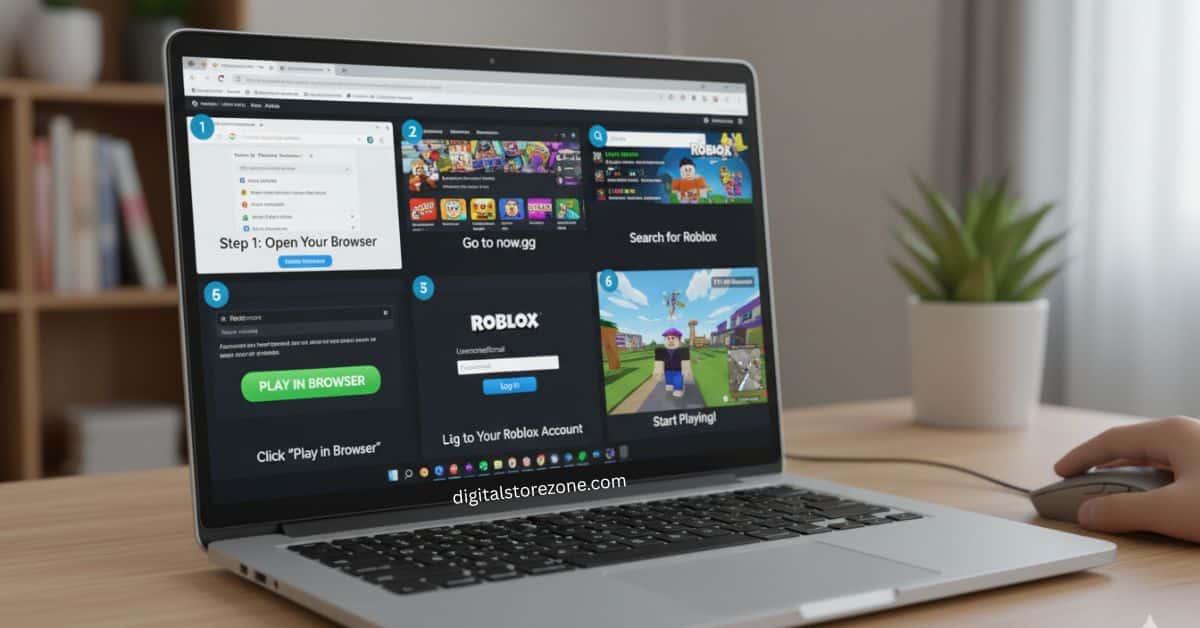
This takes less than 5 minutes.
Step 1: Open Your Browser
Use any browser. Google Chrome works best. Firefox, Safari, and Edge all work too.
You can do this on:
- A laptop or desktop PC
- A Chromebook
- An Android phone
- An iPhone or iPad
Step 2: Go to now.gg
Type now.gg in your address bar and press Enter.
You’ll land on the now.gg homepage. It shows a big library of games.
Step 3: Search for Roblox
Use the search bar at the top of the page. Type “Roblox” and press Enter.
Click on the Roblox result.
Step 4: Click “Play in Browser”
You’ll see a big button that says “Play in Browser.”
Click it.
now.gg may show a short ad (15–30 seconds). Wait for it to finish.
Step 5: Log In to Your Roblox Account
Once the game loads, you’ll see the Roblox login screen.
Enter your Roblox username and password.
If you have two-step verification on your account, you’ll get a code by email or app. Enter that code too.
Tip: Always keep two-step verification turned on. You’re logging in through a third-party site, so the extra security is worth it.
Step 6: Start Playing
You’re in! Browse Roblox as you normally would. Pick a game and start playing.
Pro tip: Press F11 on your keyboard to go full screen. This locks your mouse inside the game window — very important for games like RIVALS or any shooter.
How to Play now.gg Roblox on a Chromebook?
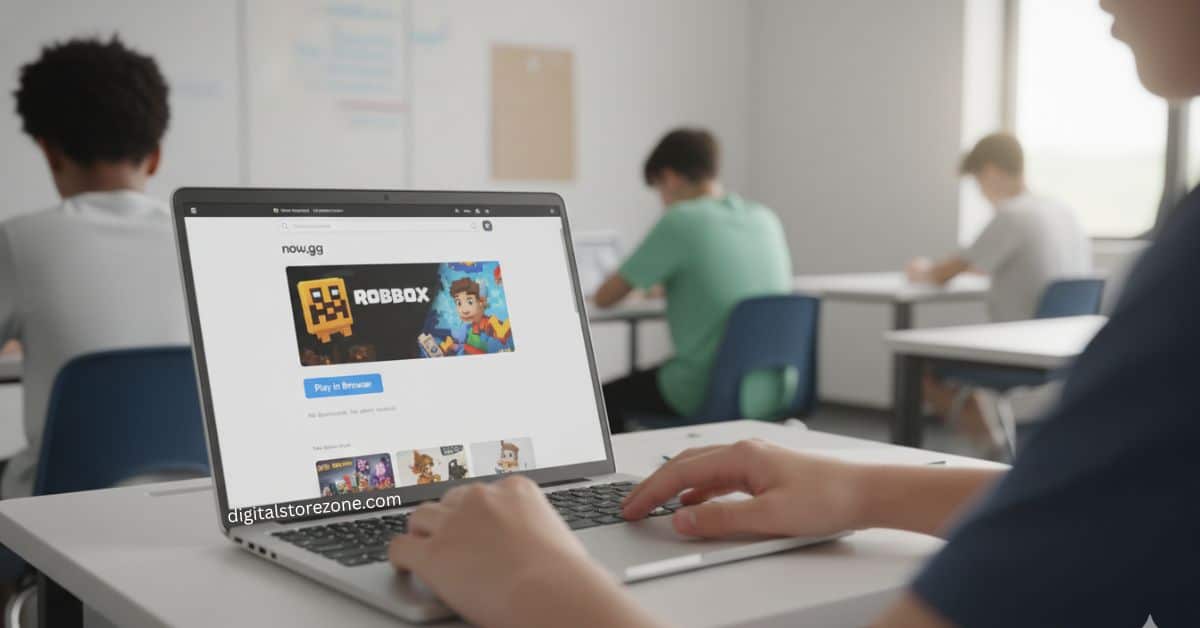
Chromebooks are one of the most common reasons people use now.gg. The Roblox app can’t be installed on most school-issued Chromebooks.
Good news: now.gg works perfectly on Chromebooks.
Steps:
- Open Chrome on your Chromebook
- Go to now.gg
- Search for Roblox
- Click “Play in Browser”
- Log in and play
No admin access needed. No downloads. If you can open a website, you can play Roblox.
Note: If your school has blocked now.gg’s domain itself, the browser method won’t work. Check with your school’s IT policy.
How to Play now.gg Roblox on Mobile (Android & iPhone)?
Your phone is full of photos and videos? No room for Roblox?
now.gg fixes that.
Steps:
- Open Chrome or Safari on your phone
- Go to now.gg
- Search for Roblox
- Tap “Play in Browser”
- Log in and play
It works the same way as on a computer. The on-screen controls appear just like the Roblox mobile app.
Is now.gg Safe for Roblox?
Yes. now.gg is a legitimate Silicon Valley-based company. It has official partnerships with game developers including Roblox Corporation.
Here’s what keeps you safe:
- Your login goes directly to Roblox’s servers. now.gg does not store your password.
- It runs the exact same Roblox app you’d download from the Play Store.
- All parental controls stay active. If your child’s account has chat filters or restrictions, those still work on now.gg.
- No traces on shared devices. Close the tab and nothing is saved locally.
What you should do for extra safety?:
- Always enable two-step verification on your Roblox account
- Only use the official now.gg website — double-check the URL
- Don’t share your Roblox password with anyone
now.gg Roblox – Common Problems and Fixes
Problem: “Play in Browser” Button Not Showing
Fix: Try these in order:
- Refresh the page
- Open an Incognito/Private window and try again
- Switch to a different browser (try Chrome if you’re using another)
- Clear your browser cookies and cache (Ctrl + Shift + Delete on Windows)
Problem: White Screen After Clicking Play
Fix:
- Turn off your ad-blocker (it can block the ad that loads before the game)
- Clear your browser cache
- Try Incognito Mode
Problem: Game is Lagging or Slow
Fix:
- Close all other browser tabs (YouTube, Spotify, etc.)
- Use a wired internet connection if possible
- Lower the in-game graphics quality to 1–3 bars
- Move closer to your Wi-Fi router
Problem: now.gg is Blocked on Your Network
Fix:
- Try using a VPN browser extension (like ZenMate or TunnelBear)
- Switch your VPN location to the United States or Canada
- Reload the page and try again
Problem: Keeps Asking Me to Log In Every Time
Fix: Create a free now.gg account and log into it before launching Roblox. This saves your session so you don’t have to log in again each time.
Tips to Get the Best Experience on now.gg Roblox
These small changes make a big difference:
- Use Chrome — it gives the best stream quality on now.gg
- Press F11 — full screen mode locks your cursor inside the game
- Use a 5GHz Wi-Fi connection — faster and more stable than 2.4GHz
- Close other apps — free up RAM on your device for a smoother stream
- Log in to a now.gg account — keeps your session saved between plays
- Check your internet speed — you need at least 5 Mbps for a smooth experience. 10 Mbps or more is ideal.
now.gg vs. Installing the Roblox App
Wondering which is better? Here’s a side-by-side look:
| Feature | now.gg (Browser) | Roblox App (Installed) |
|---|---|---|
| Download required | ❌ No | ✅ Yes |
| Storage used on device | ❌ Zero | ~400–600 MB |
| Works on school computers | ✅ Often yes | ❌ Often blocked |
| Works on low-end devices | ✅ Yes | ❌ May lag or crash |
| Internet required | ✅ Yes | Partially |
| Game updates needed | ❌ Auto-updated | ✅ Manual updates |
| Free to use | ✅ Yes | ✅ Yes |
| Best graphics performance | ❌ Depends on stream | ✅ Better on good devices |
Bottom line: If your device handles Roblox well, the app gives better performance. But if you’re on a weak device, a school computer, or low on storage — now.gg wins easily.
Popular Roblox Games to Try on now.gg
All these games work great through now.gg:
- Blox Fruits – Explore islands, eat devil fruits, fight bosses
- Brookhaven – Social roleplay with houses, jobs, and vehicles
- Welcome to Bloxburg – Build homes, work, and hang out
- Adopt Me! – Raise pets and trade with other players
- Murder Mystery 2 – Figure out who the murderer is before it’s too late
- Royale High – Dress up, go to classes, and earn diamonds
- Tower of Hell – Climb insane obstacle towers as fast as you can
- RIVALS – Competitive shooter with fast-paced matches
Is now.gg Roblox Free?
Yes. now.gg is free to use for Roblox.
You may see a short ad before the game loads. That’s how now.gg earns money to keep the service free.
You do not need a paid subscription to play Roblox on now.gg.
Your Robux, game progress, friends list, and avatar are all saved on Roblox’s servers — not on now.gg. So everything carries over no matter where you play.
Frequently Asked Questions
Can I play Roblox on now.gg without a Roblox account?
You need a Roblox account to play. But you don’t need a now.gg account. You can use now.gg as a guest — just log in with your Roblox credentials when the game loads.
Does now.gg work on iPhone?
Yes. Open Safari or Chrome on your iPhone, go to now.gg, find Roblox, and tap “Play in Browser.” It works just like on Android.
Will my Roblox progress save?
Yes. All your progress is saved on Roblox’s own servers. It doesn’t matter if you play through now.gg, the app, or any other method — your account data stays the same.
Can kids use now.gg safely?
Yes, with some care. The platform is safe and all Roblox parental controls stay active. Parents should still supervise young players and make sure two-step verification is on.
What internet speed do I need?
You need at least 5 Mbps for a basic experience. For smooth, lag-free gameplay, aim for 10 Mbps or higher.
Does now.gg work on a smart TV?
It can work on smart TVs that have a web browser — but the controls are hard to use without a keyboard or mouse. It’s not ideal for TV play.
Can I use a controller with now.gg Roblox?
Some Bluetooth controllers work when connected to your device. Results vary by browser and controller brand. A keyboard and mouse gives the most reliable experience.
Why is now.gg slow today?
Peak hours (right after school, evenings) mean more players on the servers. During busy times, you may see a short wait queue — usually 5–10 minutes. Try playing at off-peak times for faster load speeds.
Is now.gg the same as the Roblox website?
No. now.gg is a separate cloud gaming platform. It streams the Roblox mobile app to your browser. The official Roblox website is different — it runs the PC version of Roblox.
Can now.gg get my Roblox account banned?
Using now.gg does not violate Roblox’s terms of service. You are simply logging in and playing the game. Your account is safe as long as you’re not breaking any of Roblox’s own rules inside the game.
Final Thoughts
now.gg makes Roblox easy for everyone. No download. No install. No powerful device needed. Just open your browser, go to now.gg, and start playing in minutes. Whether you’re on a school Chromebook, an old phone, or a shared PC — it works. Your progress saves. Your account stays safe. So stop waiting and start playing. Roblox is one click away.